Showing posts with label 21st century skills. Show all posts

Wednesday, 4 March 2015

Studying vocabulary: plurilingualism, work stations and a field trip


In Finland, most Finnish as a second language teachers rely on the method of teaching Finnish in Finnish. In fact, this is often the only alternative when there may be dozens of different mother tongues in the same classroom, yet not a single language that everybody would understand, so the only option often is to use only Finnish, alongside with visual cues and, of course, acting out :)  This time, however, I wanted to try a different approach in learning the somewhat difficult vocabulary relating to Finnish society. This, in brief, is what we did.

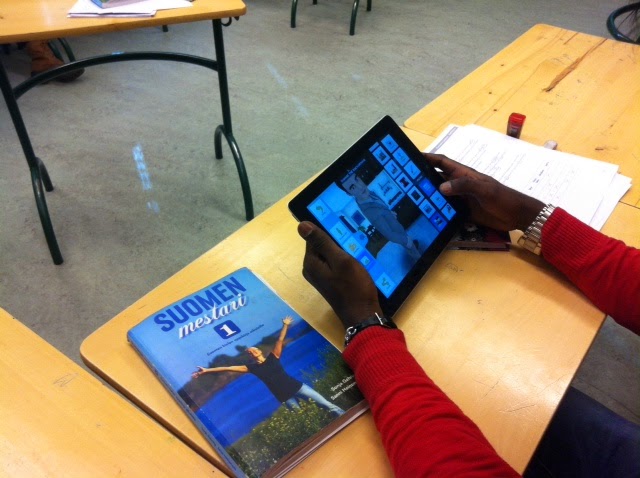
Previous week we had studied some basic information on Finnish society and now it was time to revise the vocabulary. I arranged four work stations in the classroom and the students worked their way on them in pairs or in small groups. I didn't set any time limits for each stations. I was hoping the working would proceed smoothly and that the students would chance stations when they were ready for that. 


Our worksheet with vocabulary
Before the students started working at the stations, they teamed up with a student with the same mother tongue or with a student who shared a mutual language to communicate with. They then talked through a pile of Finnish terms in a language they knew well. I truly felt it was important for them to get support from their peers and to define the somewhat challenging vocabularies in their own languages or second languages before dealing with them in Finnish. The conversation was lively to say the least. The downside of this was that I couldn’t evaluate how well or poorly they defined the terms as I don’t speak the same languages as they do. Anyhow, if there were any mistakes, they got straighten out at the work stations. My aim here was, again, to encourage the students’ plurilingualism and make it a resource in their learning processes. I would be very glad to hear if you have any ideas on how to make the students' plurilingualism a resource in the classroom. Please share them with us.

Some terminology


Once the students were ready to carry on, they could in their own pace start working in pairs or in small groups at the following stations:

1)   Online writing practise: What do you know about Finland? Here the students practised writing sentences in Finnish. Now bear in mind, that this is a beginner’s Finnish course so the task was rather challenging. What I really enjoyed noticing was the lively conversation in Finnish that took place when they were discussing the spelling of the words and the formation of the sentences. We used OneDrive for writing and saving the texts, and we’ll carry on working with them later on. What I would love to have in my classroom is higher work desks. It would be great if the students could stand at some stations. This would also make taking turns in writing easier.


Students forming sentences together

2) Vocabulary practise: I’m a fan of word clouds, they are pretty, you can vary the font and the colours and you can use them for a variety of purposes. Creating them is an easy way to check how well your students know the vocabulary being practised. Again, the conversation was lively also at this station. It was great to follow how the students corrected each other and commented on each other’s work. This time we used a programme called Word it out. 


3) Speaking: Questions about Finland. Here the students had a chance to practise talking some key points we had studied the previous week and thus revise the vocabulary. 

4) Mind-mapping: The students used Popplet for mind-mapping the key aspects of what they had learned about Finnish society so far. We used the version that doesn't require registration. Perhaps that's why there is "your name" on each popplet...?

Popplet created as teamwork - still to be finished off


The best part of the introductory lessons came the same week: We visited the Finnish Parliament House. What is so incredibly great about these tours is that you can ask for guidance in different languages, in our case, the language was selkosuomi which means simplified Finnish. Our guide Lotta was great, she really made an effort to give her presentation in a way that was understood by the students. I believe they learnt a lot during that one-hour-tour. It was also great that the same words we had practised in the classroom came alive in a real world situation.  


Getting out of the classroom


What I liked about these lessons was that they included several aspects that I find important in learning and teaching:

  • taking into account learners' previous experiences and skills
  • working together in creating something new
  • using the power of co-operation
  • communicating with the target language
  • practising IT-skills
  • getting out of the classroom
  • using the language in real life situations


Thursday, 20 November 2014

For the Finnish-speaking readers

Isn't it always nice when somebody is interested in knowing what actually happens in your classroom?  Yesterday our principal came to observe my lessons as part of her own studies. This is the report she wrote about what happened in the classroom. The link is in Finnish: Tvt tiedonhaussa ja soveltamisessa

Monday, 17 November 2014

Word Clouds

For the past week or so, our theme has been home. Today the students collected the key vocabulary under titles such as Home, Rooms, Furniture, Household appliances and Decoration (they are learning these in Finnish) and created word clouds. Students then made a poster where they put their work to be seen every day.

They used three word cloud generations: 

WordMosaic: The site offers some free features such as heart, clover, smileys, arrows, etc, a variety of fonts as well as background and text colours. You can also create your own feature which some of my students did.

WordPack  and Tag Cloud (IPad apps): Both have a selection of styles or features, see the photos below.

Word clouds are handy tools for practising vocabulary. What we did today was pretty simple but, nevertheless, it helped the students to revise the vocabulary and they learned how to create word clouds which make nice adds to presentations and draw focus to particular words. Instead of listing separate words, the students can also make word clouds of the websites they are studying and use it as a starting point for reading comprehension and vocabulary expansion.


Koti - Home


Sisustus - Decoration


Tag Cloud style selection (part of it)
WordPack feature selection (part of it)

Thursday, 23 October 2014

Tellagami


Last spring I attended a webinar by Joe Dale and learned about some great iPad apps for language learning.  Yesterday we finally got round to testing Tellagami in the classroom.  At the same time we also tested our brand new Apple TV.

The students had already been studying adjectives and how to describe people. Thus we decided to use Tellagami for this purpose: The students introduced their characters and described what kind of persons they were. This required the use of variety of adjectives.  I was truly impressed how well they  all spoke given the fact that some of them have been in the country for only three months (!).

Here are some observations on using Tellagami:
  •  It is fun to create the character and choose the way he or she looks. At the same time the students can revise some key vocabulary (body parts, colours, clothes etc.)
  • It’s possible to preview your message and record it again. Many students took advantage of this and recorded their messages a few times until they were happy with the result.
  • Everything went well apart from one iPad that got stuck after recording and the student had to do the work all over again (this time on her classmate’s iPhone).
  • In the end we watched everyone’s gami messages on the screen. I am so pleased about having an Apple TV in the classroom now. The voice quality was also surprisingly good.
We'll definitely be using this app more in the future!
Please share if you have any ideas or comments to add on the use of Tellagami!

Lately we've been also working with apps such as Micro Phone + Recording Pro, Decide Now! and Dragon Dictation. More about them on another posting!


Sunday, 14 September 2014

Part V: iMovies for teaching and learning

Part V: Some highlights of the previous school year

Just a quick note on using iMovies. This posting will finish off the five-part-series of my reminiscing about the previous school year.

Last year I took a one-day-course on how to use iMovies. Teachers in Helsinki are very lucky to have so many opportunities to stay up-to-date with the developments in educational technology. Helsinki City Media Centre organizes a variety of courses with the focus on professional development.

So, there I was for one day and with friends who are teaching in other schools, and together we were learning on how to use iMovies. Since there are so many excellent instructions on how to use the programme, I won’t bore the readers with that. I just want to say it was so much fun!

I got somewhat excited about the possibilities to make my own teaching material and teach my students to do it, too. I definitely wanted to share my experiences with my colleagues, and happily they were interested in the topic. There are 20 Finnish as a Second Language (FSL) teachers in my school, and on one Friday afternoon 13 of us showed up to learn more about it and work together.

We had a great and productive afternoon. We created a YouTube channel for our work (so far it's private). The idea was that slowly but surely, whenever we would have time, we would add videos on our channel. These could then be used in our classrooms, and, of course, the students would also be learning on how to use the programme.

I was (and still am) excited about this idea. It's so much more fun and efficient to have many people working together. I believe in the power of sharing.

Here are glimpses in photos of the demo video I made. I asked our staff members to tell the camera what languages they speak. The result was a two-minute-video for a beginners' FSL course.

For the photos and speech bubbles I used an iPad app called Photogene.

What language do you speak? What languages do you speak?

I speak Finnish, English, French and also Swedish.