Showing posts with label educational technology. Show all posts

Sunday, 14 May 2017

BBC Learning English and Google for Education in a mixed skills language class

Have I already mentioned that I love BBC Learning English? I had a somewhat long break from using this fantastic site and now that I’m back to it, I clearly remember why it is such a great resource for teaching and learning English. I have many favourites on the site, The English We Speak and 6-minute-English to name but a few (in fact, I'm a big fan of all their courses).

Presently, I teach a group of immigrants with a variety of cultural and linguistic backgrounds. Their levels of EFL vary significantly from absolute beginners to intermediate level, which is why I ended up dividing the learners in two groups. However, the lessons happen at the same time and in the same classroom, so this requires a bit of planning so that each student would benefit from the course and improve their language skills.

What to do?
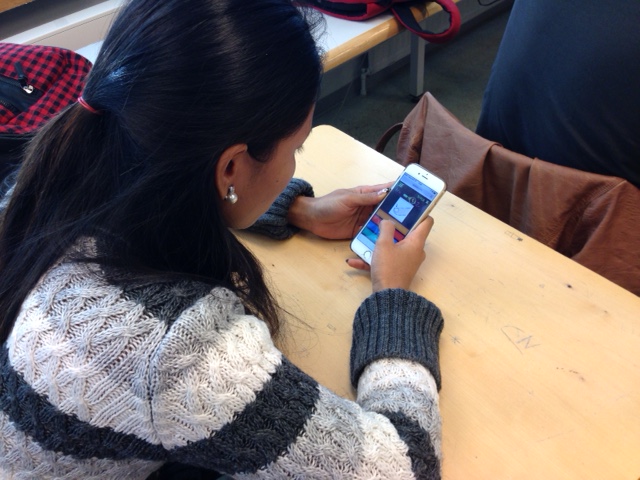
Picture by Papunet
I planned a programme for both levels and this is where BBC Learning English came into picture for the intermediate level students. Together with the students we chose two items from the site: an older series called The Teacher for learning idioms and Lingohack Words in the News for learning vocabulary. Both programmes consist of videos, which ensures that the students will get plenty of listening practice. In addition to informative (and funny, in the case of The Teacher) visual and audible resources, the material also includes a script for each video. This is particularly helpful for those students who need written material to support their learning.

Solution found!
Picture by Papunet
How a regular lesson could go when the students are practising vocabulary (they also study grammar during this course but that’s another story): I normally start with the beginners’ level students while the intermediate group already know the drill. They choose a set of idioms or news item to study, watch the video, listen and study the vocabulary. They do this alone, in pairs or in small groups. They then sign in on their Google Document (shared with the teacher) and report their learning process there: What were the idioms or vocabulary they studied? What do the idioms mean? In what kind of sentences the idioms or vocabulary could be used?

When we’ve had enough time with the beginner’s group, and they are engaged in their exercises, we then go through the findings together with the intermediate students. At this point the students also get practice in speaking. 

Google Docs is a great tool for documenting and sharing learning. Perhaps now that the students are familiar with the BBC site and the more self-directed way to find information online, we could try using Google Slides to increase collaboration and information sharing between the students. 


The idioms of the day

Do your students use BBC Learning English? Or, if you’re a student, do you use the site? Which is your favourite course on the site? 


Saturday, 19 March 2016

Tools and ideas

Voice typing with Google Docs

It really is great that Google has this feature. How to use it in language learning? The first thing that came to my mind was to help students check their pronunciation and get immediate feedback on it with the help of voice typing. What we did was pretty simple. The students had a text in the target language, which in our case is Finnish. They read the text and observed if it was similar to the original one. They often wanted to try several times to make the pronunciation match with the text. The feedback is instant, which is great. It's also really easy for them to practise pronunciation this way at home. 

Do you have any other ideas? 

For those readers who are not familiar with voice typing, check this posting by Alice Keeler.

Quizizz

When I heard about Quizizz, I was curious to see what it has to offer in comparison with, for example, Kahoot and Socrative which my students really like. Turns out Quizizz also offers a homework option. The gaming factor is also there, but instead of time pressure, the students can now do the quiz in peace and quiet with the help of any material they can think of. Highly recommended!

Google Slides

Better late than never! I have only recently discovered the wonderland of Google Slides for language learning classes. What a great way to collaborate, differentiate, learn together and so much more!
Presently my students are practising the use of past tense both in affirmative and negative sentences in Finnish. For revision I created a presentation with each slide containing only two sentences: the first one being affirmative and the second one negative, which appears with a click. The students worked in pairs and took turns in reading the affirmative sentences and then trying to form the negative ones and then checking with a click if they got it right. It worked really well and the students got a lot of practise! Simple and useful! 

I was pleased to find a lot of information both in Finnish and English on how to use Google Slides in the classroom. I very much like the idea of creating a presentation and giving each group a slide number to work, and there are so many other cool ways to use this tool. To read about them, here's a link to a crowd sourced presentation initiated by Alice Keeler and Hans Tullmann.

 
Quizizz in the classroom

Quizizz in the classroom


Practice makes perfect

Wednesday, 4 March 2015

Studying vocabulary: plurilingualism, work stations and a field trip


In Finland, most Finnish as a second language teachers rely on the method of teaching Finnish in Finnish. In fact, this is often the only alternative when there may be dozens of different mother tongues in the same classroom, yet not a single language that everybody would understand, so the only option often is to use only Finnish, alongside with visual cues and, of course, acting out :)  This time, however, I wanted to try a different approach in learning the somewhat difficult vocabulary relating to Finnish society. This, in brief, is what we did.

Previous week we had studied some basic information on Finnish society and now it was time to revise the vocabulary. I arranged four work stations in the classroom and the students worked their way on them in pairs or in small groups. I didn't set any time limits for each stations. I was hoping the working would proceed smoothly and that the students would chance stations when they were ready for that. 


Our worksheet with vocabulary
Before the students started working at the stations, they teamed up with a student with the same mother tongue or with a student who shared a mutual language to communicate with. They then talked through a pile of Finnish terms in a language they knew well. I truly felt it was important for them to get support from their peers and to define the somewhat challenging vocabularies in their own languages or second languages before dealing with them in Finnish. The conversation was lively to say the least. The downside of this was that I couldn’t evaluate how well or poorly they defined the terms as I don’t speak the same languages as they do. Anyhow, if there were any mistakes, they got straighten out at the work stations. My aim here was, again, to encourage the students’ plurilingualism and make it a resource in their learning processes. I would be very glad to hear if you have any ideas on how to make the students' plurilingualism a resource in the classroom. Please share them with us.

Some terminology


Once the students were ready to carry on, they could in their own pace start working in pairs or in small groups at the following stations:

1)   Online writing practise: What do you know about Finland? Here the students practised writing sentences in Finnish. Now bear in mind, that this is a beginner’s Finnish course so the task was rather challenging. What I really enjoyed noticing was the lively conversation in Finnish that took place when they were discussing the spelling of the words and the formation of the sentences. We used OneDrive for writing and saving the texts, and we’ll carry on working with them later on. What I would love to have in my classroom is higher work desks. It would be great if the students could stand at some stations. This would also make taking turns in writing easier.


Students forming sentences together

2) Vocabulary practise: I’m a fan of word clouds, they are pretty, you can vary the font and the colours and you can use them for a variety of purposes. Creating them is an easy way to check how well your students know the vocabulary being practised. Again, the conversation was lively also at this station. It was great to follow how the students corrected each other and commented on each other’s work. This time we used a programme called Word it out. 


3) Speaking: Questions about Finland. Here the students had a chance to practise talking some key points we had studied the previous week and thus revise the vocabulary. 

4) Mind-mapping: The students used Popplet for mind-mapping the key aspects of what they had learned about Finnish society so far. We used the version that doesn't require registration. Perhaps that's why there is "your name" on each popplet...?

Popplet created as teamwork - still to be finished off


The best part of the introductory lessons came the same week: We visited the Finnish Parliament House. What is so incredibly great about these tours is that you can ask for guidance in different languages, in our case, the language was selkosuomi which means simplified Finnish. Our guide Lotta was great, she really made an effort to give her presentation in a way that was understood by the students. I believe they learnt a lot during that one-hour-tour. It was also great that the same words we had practised in the classroom came alive in a real world situation.  


Getting out of the classroom


What I liked about these lessons was that they included several aspects that I find important in learning and teaching:

  • taking into account learners' previous experiences and skills
  • working together in creating something new
  • using the power of co-operation
  • communicating with the target language
  • practising IT-skills
  • getting out of the classroom
  • using the language in real life situations


Monday, 17 November 2014

Word Clouds

For the past week or so, our theme has been home. Today the students collected the key vocabulary under titles such as Home, Rooms, Furniture, Household appliances and Decoration (they are learning these in Finnish) and created word clouds. Students then made a poster where they put their work to be seen every day.

They used three word cloud generations: 

WordMosaic: The site offers some free features such as heart, clover, smileys, arrows, etc, a variety of fonts as well as background and text colours. You can also create your own feature which some of my students did.

WordPack  and Tag Cloud (IPad apps): Both have a selection of styles or features, see the photos below.

Word clouds are handy tools for practising vocabulary. What we did today was pretty simple but, nevertheless, it helped the students to revise the vocabulary and they learned how to create word clouds which make nice adds to presentations and draw focus to particular words. Instead of listing separate words, the students can also make word clouds of the websites they are studying and use it as a starting point for reading comprehension and vocabulary expansion.


Koti - Home


Sisustus - Decoration


Tag Cloud style selection (part of it)
WordPack feature selection (part of it)

Tuesday, 4 November 2014

Three iPad apps for language learning classroom

It's been a busy autumn with my new group. The students have already improved their Finnish skills quite a bit and they have  also started a course in mathematics. There will be more school subjects coming as their language skills develop. 

This time I'm going to present a few more iPad apps that I have used with my students to encourage them to practise their pronunciation, speaking and listening skills:

The app is designed for decision making but it turns out there are so many other ways to use it. My students, who are presently at beginners’ level in their language studies, have been using it for practising question formation, followed by discussion: Just add question words in the wheel and voilà, you’ll have a wheel that can be used in various contexts. Decide Now! is also a handy tool for practising vocabulary: Write the words in the wheel, students can then form sentences using them, define them or create a dialogue around them. Fun and effective, and when students work in pairs each one of them gets a lot of practice!


Pronunciation can be tricky. I am a supporter of each student’s own personal accent but I also encourage them to learn pronunciation to avoid misunderstandings simply because in the real world they need to be understood. I listen to my students speaking a lot, they also read aloud to me from time to time. I encourage them to use online dictionaries with audio as well as listen to the language around them. Yet another way to practise pronunciation is with Dragon Dictation. It is a voice recognition application. My students have used it, for example, for reading aloud short dialogues. Then they check the writing and see if there’s something to be corrected. In this way they also practise reading and spelling. The app can also be used for reading out easily confused words. For example, many Finnish language learners find it challenging to recognize between long and short vowels (tuli – tuuli) and double consonants (kuka – kukka).


So far we've only tried this app once, so there are yet many things to explore. The students were given a situation and they created a dialogue. The students then recorded the dialogue and later we listened to each one of them. A quick and easy way to practise speaking and listening skills. The students also like the idea of re-recording the dialogue if they were not happy with the final result.

Monday, 6 October 2014

Quizlet with photos

A few words about Quizlet: It is so great for learning languages!

As an EFL teacher, I have used Quizlet a lot with English-Finnish-English phrases and words. This term I am mainly teaching Finnish as a second language for young adults. I will be teaching EFL for them later in the spring term but as for now, the focus is on the Finnish language. They don’t all speak English so I had to give up using translations. Instead I am using photos, and it is working really well.

Using Quizlet image search is such a time saver! In addition, it is great how the photo sources are listed below each set.

I only now discovered the folders, which makes it easier to find a certain set. However, it seems to me that my folders are visible only to me, my students can’t see them. Can anybody shed some light on this? Is it so? Or perhaps the folder function requires logging in? So far, my new students haven’t done that.

The only disappointment with using photos instead of translations has been the reduced amount of study modes (Cards, Learn, Speller, Test, Scatter, Space Race) when studying the vocabularies on iPads. I was looking forward to the students having a go at Scatter but instead they got a notification “You cannot play scatter because there are images for every definition. Please try another mode.”

Having said that, I still think Quizlet is awesome. Easy and simple to use, very efficient and also so much fun for the students with the competitive side of it! And I love the idea of sharing!

If you want to have a go at practising the sights in Helsinki, click here. 
Or have a try with the colours in Finnish.

Helsinki sightseeing


Sunday, 14 September 2014

Part V: iMovies for teaching and learning

Part V: Some highlights of the previous school year

Just a quick note on using iMovies. This posting will finish off the five-part-series of my reminiscing about the previous school year.

Last year I took a one-day-course on how to use iMovies. Teachers in Helsinki are very lucky to have so many opportunities to stay up-to-date with the developments in educational technology. Helsinki City Media Centre organizes a variety of courses with the focus on professional development.

So, there I was for one day and with friends who are teaching in other schools, and together we were learning on how to use iMovies. Since there are so many excellent instructions on how to use the programme, I won’t bore the readers with that. I just want to say it was so much fun!

I got somewhat excited about the possibilities to make my own teaching material and teach my students to do it, too. I definitely wanted to share my experiences with my colleagues, and happily they were interested in the topic. There are 20 Finnish as a Second Language (FSL) teachers in my school, and on one Friday afternoon 13 of us showed up to learn more about it and work together.

We had a great and productive afternoon. We created a YouTube channel for our work (so far it's private). The idea was that slowly but surely, whenever we would have time, we would add videos on our channel. These could then be used in our classrooms, and, of course, the students would also be learning on how to use the programme.

I was (and still am) excited about this idea. It's so much more fun and efficient to have many people working together. I believe in the power of sharing.

Here are glimpses in photos of the demo video I made. I asked our staff members to tell the camera what languages they speak. The result was a two-minute-video for a beginners' FSL course.

For the photos and speech bubbles I used an iPad app called Photogene.

What language do you speak? What languages do you speak?

I speak Finnish, English, French and also Swedish.

Saturday, 16 August 2014

Part III: Experiences with Tabletkoulu


Part III: Some highlights from the previous school year
Last year my colleague from another school and I decided to take a challenge. We started creating an online EFL course with a Finnish start-up company called Tabletkoulu. The pedagogy and underlying guidelines behind this company are inspiring to say the least. The courses are based on methods such as flipped learning, phenomenon-based learning, game-based learning, project-based learning, co-operative learning and self-directed learning. I have always been excited about the possibilities that educational technology has brought to language learning, so it seemed like a natural step to be involved in creating learning material that would benefit from these developments.

What fascinates me are the opportunities to make language alive through authentic learning material and learning experiences, the almost overwhelming world of interacting and sharing, and learning from others. In addition to this, I can see the potential that educational technology has in truly embracing all kinds of language learners with so many individually tailored ways to study.

In the spring term 2014 our course ENA3 Study and work was still under construction but I wanted to test some parts of it with my students. To cut a very long story short, here are some random observations on using the material:

  •  The students worked either on computers or iPads. They worked either on their own, in pairs, in small groups and at times I was instructing them.
  • This is what the table of contents of the course looks like:
    Table of contents
  • Because of the time restrictions we only had time to study sections two and three. In addition to this, we studied grammar whenever it felt natural. For example, the course material has several interviews with direct questions. They were easily converted into indirect questions, and we observed what it did to the word order. Similarly, when writing a CV or a covering letter, you naturally use adjectives. This is when we also studied how to use comparison and quantifiers.
  • Not all my students enjoy speaking in English, thus writing their comments on discussion forum encouraged them to use the language without being too stressed about the pronunciation, for example. 
  • The material has many exercises that encourage students to co-operate and get out of the classroom, for example, to make interviews, record them and use the target language. Each exercise has also a discussion forum. This turned out to be really handy because it made the conversation visible if needed. 
  •  I was surprised to see how engaging the exercises were. As the students were doing them, they were able to gain points after finishing each exercise. This motivated them to collect more points. Encouraged by this, we then decided that the exercise points would be added to their course exam points (course exam consisted of a listening comprehension test and four short theme-related essays). Thus, the actual work done during the course became a visible factor in the student evaluation. 
  • While some students were really quick in moving from one exercise to another, others struggled with them. I found myself being more aware of the difficulties the students had as I could follow their progress in their portfolios. As many students carried on doing the exercises independently, I had more time to help those who had difficulties. 
  • The platform allowed teachers to add their own material in it. This was a great feature! For example, when studying school related vocabulary, I thought it was important for my students to be able to speak about their own school in English. So I was able to add material that was specific for my students. The students themselves also participated in searching the material, for example, finding relevant vocabulary on our school English website.
  • The material also includes exercises which introduce the students to the use of, for example Twitter, LinkedIn and Khan Academy.
  • The platform also enables collaboration between the teachers who are using the same course material. You can start a conversation not only with your own group of students but also nationwide with all the users. I had no chance to try this out. It would be interesting, though and I very much like the idea of teachers sharing their ideas and experiences. 
  •  The theme-related vocabulary on study and work for the course can be found on Quizlet. Click here to see the vocabulary sets.
  • My students are big fans of Quizlet (well, most of them are :) At some point there was a huge race of the gold medal in Scatter and Space Race. The students got so into practising the vocabulary that it was their wish to have more vocabulary testing. For this purpose I used, for example, Socrative or pair work with word definitions.
  •  All in all, I enjoyed using the course material and the feedback from the students was mainly positive. However, some students told me after the course that they would prefer to have “something concrete to hold in their hands” after the course. Some of them printed the vocabularies on Quizlet to ease this anxiety.
To see how some parts of the course material look like, take a look at these photos.


The topic of today?
Surveying bullying

2.2 Schools abroad

What is studying like in ... ?

We can work it out!

The right kind of applicant

Careers
Professional working proficiency test
4.2. Learner profiles


Extrovert, introvert - does it matter?


By myself

Speaker's corner


Project: Education news


I love learning new words


Practice makes perfect


If you want to learn more about Tabetkoulu, check out their website here. The link is in Finnish but all the team members speak English.

Friday, 15 August 2014

Some background information about me (updated)

Hi! I'm Minna, a language teacher from Finland with an MEd and MA. I have been teaching English as a Foreign Language for about 20 years, at all possible levels with pupils and students aged anything between 5 to 75. I have done most part of my EFL work in upper secondary schools. While working as an English teacher, I also fulfilled my long-time dream of studying to become a Finnish as a Second Language teacher. In addition to my education in languages, I am also a qualified primary school teacher. I can truly say that I love teaching and learning!

I have always been an edtech enthusiast. I was a Google Certified Educator (2019 - 2022) and a MIEE (Microsoft Innovative Educator Expert in 2020-2021). 

I am also a Kahoot! Verified Educator. These are my profiles:
My goal is to encourage my students to become lifelong learners through meaningful learning experiences. Needless to say, I am a lifelong learner myself!

I have a YouTube channel for intermediate and advanced English language students and two other channels for Finnish learners. You can find the channels here:
You can find language learning & teaching materials I have created from here.